Under the hood: the design system behind this portfolio

The system behind the portfolio

The system that built this portfolio

Built from primitives, not pixels.

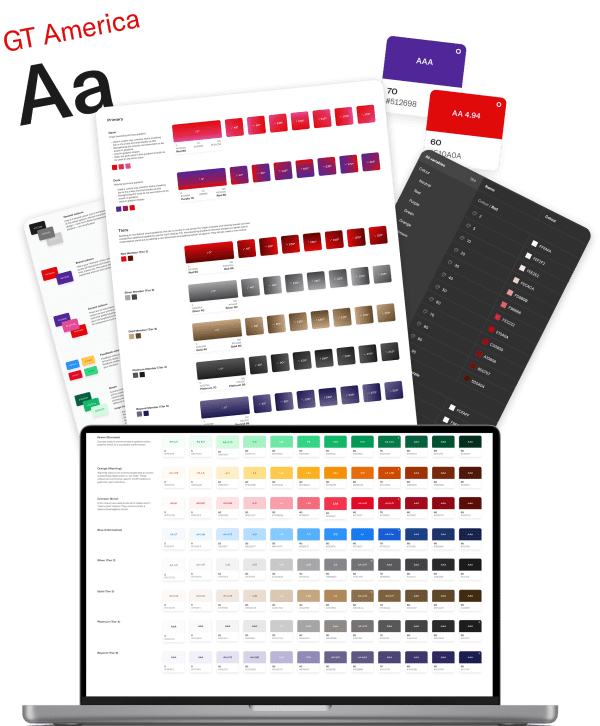
Most portfolios show you the finished screens. This one opens the hood: the live source the whole site is built from, rendered in real time, nothing faked for the page.

This page is the design system I would build for your team.

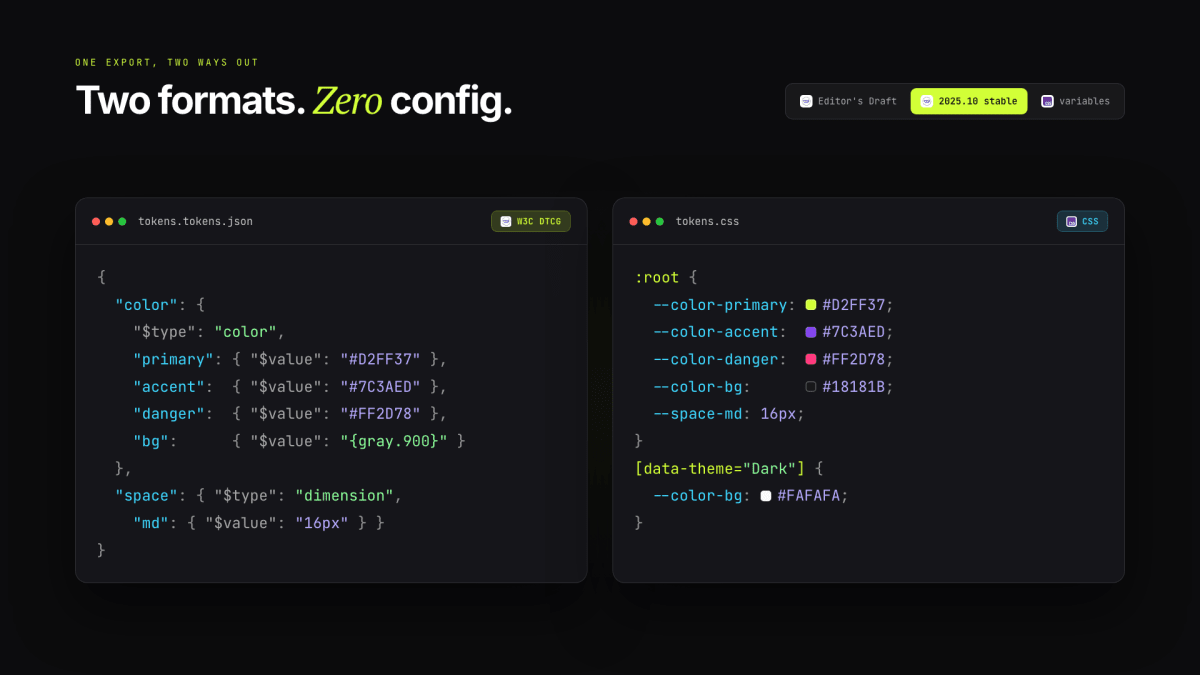
Generated from tokens.json in the W3C DTCG format. View source (opens in a new tab)

The full written system: overview plus the complete token reference. Download .md

Accessibility

Built & tested toWCAG 2.2 AA

100/100Accessibility, Best practices, SEO

Measured by Google Lighthouse

Last verified 7 Jun 2026

Most portfolios claim it. This one proves it: an automated gate runs axe-core in light and dark, plus Lighthouse, on every deploy and pull request. Not a one-off audit.

WCAG 2.2 AA

Standard

Contrast, focus, target size, motion. All to AA.

W3C Design Tokens

Tokens

Authored in the W3C Design Tokens format.

axe DevTools

axe DevTools

0 violations

Google Lighthouse

Google Lighthouse

Accessibility, Best practices, SEO.

Accessibility conformance statementConformance statementWCAG 2.2 AA
Standard
WCAG 2.2, level AA. Equal to ISO/IEC 40500:2025.
Scope
natemills.me, every section, light and dark. HTML, CSS, JavaScript, SVG.
How it's verified
axe-core both themes and Lighthouse on every deploy and pull request, then cross-checked by hand with IBM Equal Access and a screen reader.
Self-assessed
WCAG has no certifying body, so this is backed by the gate, not a third-party badge. Performance is tracked separately, not claimed here.

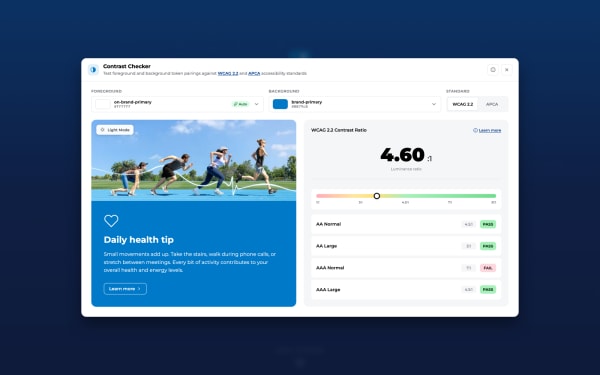
Every swatch grades its own contrast while you watch.

Nothing in this gallery is pasted in from an audit. The page reads the live token values, hex and OKLCH alike, and computes the WCAG grades in your browser right now, so if a shade ever drifts out of spec it fails here first, in public.

View source (opens in a new tab)
WCAG 2.2 AA conformanceWCAG 2.2 AAISO/IEC 40500:2025
W3C DTCGW3C DTCGdesign-token format
Style DictionaryStyle Dictionarytoken build pipeline
CSS, Color Module Level 4CSS Color 4OKLCH colour space

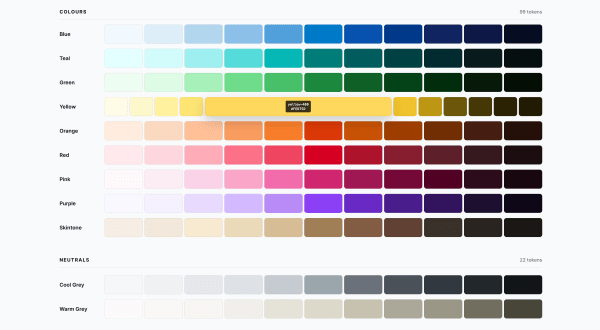
62 colour tokens, resolved live per theme.

Primitives

Semantics

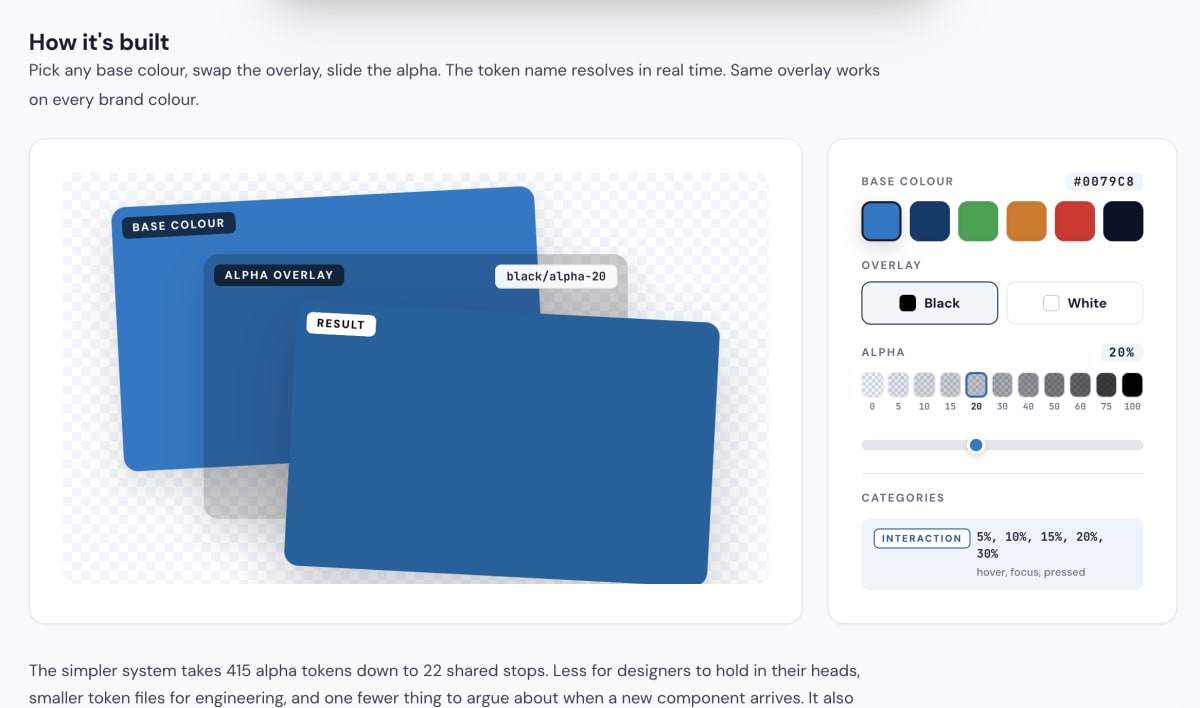
Transparency

Generated from tokens.json (DTCG). The page table and the source share one build.

The whole site is the brand; this card holds the parts kept under lock.

Identity lives in tone, motion, the lime and the way a heading lands, not in a logo file. These are the reserved assets: the wordmark, the portrait and a gradient that never appears on buttons, links or focus rings. Scarcity keeps them meaning something; when the gradient turns up, it is me, not the UI.

View source (opens in a new tab)

Wordmark + portrait

nate mills wordmark
Wordmark on ink text #fafafa · period --brand-lime
nate mills wordmark
Wordmark on paper text --brand-ink · period --brand-lime
nate mills wordmark
Wordmark on lime text --brand-ink · period ink at 50%
Nate Mills
Portrait, identity cropped-02.png · lime background

Brand gradient --green-500 to --brand-emphasis-2

--brand-gradient linear-gradient(135deg, #d2ff37 0%, #eeff00 100%)

Reserved for identity surfaces only. Used on the Social.png banner, the lime-background portrait, and the favicon tile. NOT used for body text accents, focus rings, or links. Body chrome uses the flat --brand-lime alone.

Period rules

nate mills Light surface: text ink, period lime.
nate mills Dark surface: text off-white, period lime.
nate mills Lime surface: text ink, period ink at 50% (lime on lime would disappear).

I hired each typeface to do one job.

Inter does the everyday talking, JetBrains Mono lines up the numbers and code, and PT Serif only comes out for the rare pull quote. With roles that strict, nobody has to guess which font a new screen should use, and the page never picks up a fourth voice by accident.

View source (opens in a new tab)

Font families 5 tokens

Three typefaces, three jobs. None of them is interchangeable.

Aa

--font-display

Aa

--font-body

Aa

--font-mono

Aa

--font-mono-metric

Aa

--font-serif

TokenStackRole
--font-displayDisplay headings (h1, h2, h3) and large numbers.
--font-bodyBody copy, lists, and buttons.
--font-monoTabular numbers, code, and eyebrow labels.
--font-mono-metricM-21 tabular mono for metric digits.
--font-serifEditorial pull quotes, testimonials only.
Generated from tokens.json (DTCG). The page table and the source share one build.

Display roles W3C DTCG $type: typography

Each preset bundles size, weight, tracking, and line height into one named token.

Hero, this big.

--display-hero = fontInter weight size line0.96 tracking

The hero headline. Fluid 40 to 118px, the biggest type on the site.

Section, this big.

--display-section = fontInter weight size line0.98 tracking

Oversized display headings; the Under-the-Hood section heads run on it.

Card title, this big.

--display-card-title = size

Large feature-card and tile titles.

An intro, this big.

--display-intro = size

Section intro lines and emphasis copy under a heading.

“

--display-quote = fontPT Serif size

The testimonials' giant serif quotation marks. Decorative punctuation, not data. Renamed from --display-stat in W40 (it never sized a stat).

Data numbers W3C DTCG $type: typography

One preset: the metric band numerals. Tabular spacing keeps columns steady.

1,248

--display-stat-num = size

The Key metrics band numerals (18h, $4M+, 74%).

Body roles W3C DTCG $type: typography

The working text scale: headings, paragraphs, labels. New components consume these.

Section heading.

--text-h1 = fontInter weight800 size line tracking-0.04em

Page-level section headings (every section h2). The hero h1 is a documented exception with its own mobile-tuned clamp.

Card title.

--text-h2 = size line

Card titles, intro lines, sub-headings inside section bodies.

Default reading text. Most words on the page set in this role.

--text-body = fontInter weight400 size line

Paragraphs, lists, default reading text, card body copy.

Stat label

--text-label = fontJetBrains Mono weight500 size line1.4 tracking

Uppercase mono labels, eyebrows, stat labels, badges.

A caption or footnote, set small.

--text-caption = size line

Tiny captions, footnotes, stat descriptions.

About

--text-nav = fontJetBrains Mono size tracking

Header menu links; equals --text-label today, kept separate so nav can diverge.

TokenValueLine heightUsed for
--text-h11.05Page-level section headings (every section h2). The hero h1 is a documented exception with its own mobile-tuned clamp.
--text-h21.15Card titles, intro lines, sub-headings inside section bodies.
--text-body--size-base1.5Paragraphs, lists, default reading text, card body copy.
--text-label--size-2xs1.4Uppercase mono labels, eyebrows, stat labels, badges.
--text-caption--size-xs1.5Tiny captions, footnotes, stat descriptions.
--text-nav--size-2xsHeader menu links; equals --text-label today, kept separate so nav can diverge.
Generated from tokens.json (DTCG). The page table and the source share one build.

Type scale 9 tokens

Nine stops. Enough range for every text role without one-offs.

Aa 2xs
Aa xs
Aa meta
Aa sm
Aa base
Aa lg
Aa xl
Aa 2xl
Aa 3xl
TokenSize
--size-2xs
--size-xs
--size-meta
--size-sm
--size-base
--size-lg
--size-xl
--size-2xl
--size-3xl
Generated from tokens.json (DTCG). The page table and the source share one build.

Weights 5 tokens

Five weights. Inter loads them all, so picking one costs nothing at runtime.

Aa regular
Aa medium
Aa semibold
Aa bold
Aa extrabold
TokenValueDescription
--weight-regular400. Body copy and captions.
--weight-medium500. UI text, chips, mono labels.
--weight-semibold600. The workhorse emphasis: buttons, subheads, labels.
--weight-bold700. Strong emphasis inside body copy.
--weight-extraboldFive distinct weights; Inter is loaded at 400/500/600/700/800.
Generated from tokens.json (DTCG). The page table and the source share one build.

Tracking 6 tokens

Most text tracks tight. Labels and eyebrows open wide to stay legible at small sizes.

Display

tight,

Body

normal,

01234

mono,

Subhead

wide,

LABEL

label,

EYEBROW

eyebrow,

TokenValueDescription
--tracking-tight-0.02em. Tightens large text below display size.
--tracking-normal0. The body default; most text sits here.
--tracking-mono0.01em. Tabular numbers and code; keeps digit columns steady.
--tracking-wide0.02em. Opens subheads a touch at mid sizes.
--tracking-labelSmall uppercase labels.
--tracking-eyebrowWide tracking for uppercase eyebrows.
Generated from tokens.json (DTCG). The page table and the source share one build.

Line heights 5 tokens

Named for the role they set, tightest to loosest. Big display text wants the least leading; body copy wants the most.

Three lines of stacked copy show line height the best. Compact reads tight.

--line-display

Three lines of stacked copy show line height the best. Compact reads tight.

--line-heading

Three lines of stacked copy show line height the best. Compact reads tight.

--line-title

Three lines of stacked copy show line height the best. Compact reads tight.

--line-snug

Three lines of stacked copy show line height the best. Compact reads tight.

--line-body

TokenValueDescription
--line-displayDisplay-grade headings (--text-h1, section h2s). Big text wants the tightest leading.
--line-headingCard titles and section sub-headings (--text-h2, UTH section heads).
--line-titleSmaller standalone titles (modal and tile titles).
--line-snugIntro lines, award titles, compact meta text. A half-step tighter than body.
--line-bodyDefault reading text: paragraphs, lists, captions. The workhorse.
Generated from tokens.json (DTCG). The page table and the source share one build.

Icons are markup, not pictures.

I write one tag and Lucide swaps in the SVG at load. Every glyph comes from one open-source family, drawn on a 24px grid with a 2px stroke, and inherits the current text colour, so it recolours with the theme for free and never ships as a heavy image.

Lucide icons (opens in a new tab)

How they behave

  • Decorative by default. Every icon is aria-hidden, so a screen reader skips it and reads the words instead.

  • Labelled when it stands alone. An icon-only button is named for the action it does, not the picture it shows.

  • Colour follows text. Icons use currentColor, so they switch light to dark with everything else.

In context

In a buttonThe glyph sizes to the label and centres on it.

AA verified Zero frameworks

In a chipSmall, quiet, paired with a short status label.

Recent work

In a linkThe outbound arrow always means a new tab.

Tested against WCAG 2.2 AA in both themes.

In a calloutA status icon sets the tone before the sentence does.

The set, 70 icons in real use

layers

<i data-lucide="layers" aria-hidden="true"></i>

Colour

How it is wired

Markup

<!-- the name is the whole API; aria-hidden, it is decorative -->
<i data-lucide="layers" aria-hidden="true"></i>
<script>lucide.createIcons();</script>

Style

/* Lucide swaps the <i> for an inline <svg> at load.
   Stroke is currentColor, so colour follows the text
   and flips with the theme. Size the svg per context. */
.thing svg { width: 18px; height: 18px; }

Space is how a layout shows what goes with what.

Put two things close together and people read them as related; push them apart and they read as separate. That is what spacing is for, so every gap, padding and gutter here comes from twelve steps, 4 up to 256. The relationships hold steady from screen to screen, and a layout explains itself at a glance.

View source (opens in a new tab)
TokenScaleUse
Hairline gap. Icon-to-label, tight inline spacing.
Tight gap. Chip padding, small stacks.
Medium-tight break (added between 2 and 4). Heading-to-body, compact rows.
Base unit. Default gap between related elements; the compact card-padding tier (--card-pad-compact).
Medium break (added between 4 and 6). Group separation inside a section; the standard card-padding tier (--card-pad-standard).
Large gap. Between subsections and card to card; the spacious card-padding tier (--card-pad-spacious).
Block spacing between stacked content blocks.
Major block separation and section inner padding.
Section rhythm. The lower bound of vertical section padding (--section-padding).
Section rhythm. The upper bound of vertical section padding (--section-padding).
Outsized spacing for full-bleed editorial breaks.
Largest step. Rare, marquee-scale vertical space.
Generated from tokens.json (DTCG). The page table and the source share one build.

You read the corner before you read the label.

Square edges mean structure. The soft middle steps belong to containers like cards and inputs, and the full pill marks a small label or control. Once those roles are set, rounding stops being a judgement call: you ask what the thing is, and the corner follows.

View source (opens in a new tab)

--radius-none

--radius-sm

--radius-md

--radius-lg

--radius-xl

--radius-full

TokenValueDescription
Radii
--radius-noneSquare. No rounding, for sharp-cornered surfaces and full-bleed media.
--radius-smSmall radius. The workhorse for inputs, chips, and small controls.
--radius-mdMedium radius. Mid-size controls and insets, a touch rounder than sm.
--radius-lgLarge radius. The default for cards and modals.
--radius-xlExtra-large radius. Prominent panels and feature surfaces.
--radius-fullFull round. Pills, tags, and circular buttons; forces a complete radius at any height.
Borders
--border-hairlineDefault 1px hairline border; reads --color-border so it follows the theme. The standard card edge and divider.
--border-strongHeavier 1px border; reads --color-border-strong. For edges that need to read past a hairline, such as secondary-button outlines.
--border-focus2px focus outline; reads --color-focus-ring (ink on light, lime on dark). The keyboard-focus indicator, never removed without a replacement.
--focus-ring-offsetOffset between an element and its focus ring. Outsets the 2px ring so it clears the element edge.
Shadows
--shadow-noneNo shadow. The default; the system favours borders over shadows.
--shadow-softSubtle resting elevation, two stacked ink-alpha layers, for cards that lift just off the page. Dark mode swaps to deeper black-alpha.
--shadow-liftStronger elevation for overlays and float-on-scroll chrome only, not resting cards.
--shadow-modalModal and lightbox elevation. The deepest shadow, for surfaces floating above a scrim.
--accent-period-shadowDepth under the lime period in section titles. Keeps the lime dot legible on light surfaces; resolves to none in dark, where lime already reads.
--accent-dot-shadowDepth under the active carousel pagination dot. Keeps the lime dot legible on light surfaces; resolves to none in dark.
Generated from tokens.json (DTCG). The page table and the source share one build.

Everything moves like the same person timed it.

Durations and eases live as tokens, so a button hover and a modal opening draw on the same few values instead of whatever felt right that day. For a team, that is the quiet win: nobody argues about 200 versus 250 in code review, and new work inherits the house timing for free.

View source (opens in a new tab)

Press Play to run each speed

fast,
base,
slow,

Ease

--ease-default

Default

--ease-entrance

Entrance

--ease-exit

Exit

Plus --duration-counter, , drives the stat counters

A new section never has to work out how wide it should be.

Anything you read sits in a 960px column; galleries and showpieces take the wide lane, which stretches from 1200 to 1440 with the screen. Five breakpoints carry both from a small phone to an ultrawide monitor. New work picks a lane and inherits the rest.

View source (opens in a new tab)
Drive the layout
--container-base · the reading column --container-wide fluid, measuring now

Breakpoints 5 tokens, the active one lights

Containers 2 tokens

--container-base

Base

One centred reading column. If you read it, it lives here.

--container-wide

Wide

fluid · measuring now

The showpiece lane: 1200 at rest, stretching toward 1680 with the screen.

Touch target WCAG 2.5.5 AAA

--touch-target-min

Minimum

Real size, with a 9mm fingertip ring. Clears WCAG 2.5.5 AAA.

--touch-target-dot

Small indicator

The 24px AA floor (WCAG 2.5.8) for dots and small controls.

Stacking (z-index) 8 tokens

Base

--z-base

Base flow. Nothing is lifted.

Dropdown

--z-dropdown

The layer for dropdowns, popovers, and menus over page content.

Sticky

--z-sticky

Sticky chrome: the site header and pinned bars.

Overlay

--z-overlay

Scrims and floating chrome above the header.

Modal

--z-modal

Modal dialogs and lightboxes above their scrim.

Tooltip

--z-tooltip

Tooltips and hover hints above modals.

Toast

--z-toast

Toasts and the scroll-progress bar, the top transient chrome.

Skip link

--z-skip-link

Skip-to-content link, always reachable over any chrome.

The liquid-glass header is a system, not a one-off blur.

The frosted bar at the top of every page is built from ten tokens, not a single filter. They tint the panel, light its top edge, blur and saturate whatever scrolls behind it, and quietly clamp that backdrop's brightness so the navigation never loses contrast. Tuned once, they hold in light and dark, on desktop and phone, and fall back to a plain tinted panel where the browser cannot frost.

View source (opens in a new tab)
TokenValueDescription
--glass-tintFrosted fill colour, painted as the panel's padding-box layer. Near-white at 40% in light, ink at 50% in dark, so the bar tints whatever scrolls behind it toward the page substrate.
--glass-edge-topTop stop of the lit border gradient: a bright highlight along the top edge, as if light is catching the rim, giving the panel its 3D lift.
--glass-edge-bottomBottom stop of the lit border gradient: near transparent, so the lit edge fades from top to bottom like a real bevel.
--glass-specularInner top highlight, an inset box-shadow drawing the sharp specular line across the panel's top edge. A transparent no-op in dark, where the tint alone reads.
--glass-shadowDrop shadow that lifts the floating pill off the page once the header condenses on scroll. Tighter contact shadow plus soft ambient in dark.
--glass-blurBackdrop blur on the Chromium refraction path (desktop with a hover pointer), where it pairs with the #lg-dist displacement filter. 10px in light, 7px in dark.
--glass-blur-webkitBackdrop blur on the plain-frost fallback used everywhere without the displacement filter (Safari, iOS, mobile). 14px in light, 11px in dark.
--glass-saturateBackdrop saturation boost. Pumps the colour of whatever scrolls behind the bar so the frost reads as live glass, not a grey haze.
--glass-dimBackdrop brightness clamp at rest (1, no dimming). The Apple Liquid Glass trick: nudge the content behind the panel toward one substrate so nav text keeps AA contrast over anything. The scrolled value lives in glass.dim-scrolled.
--glass-dim-scrolledBackdrop brightness clamp once the header condenses into the floating pill. Light brightens the content behind it so dark nav text stays legible; dark darkens it to protect the near-white nav (see darkTheme).
Generated from tokens.json (DTCG). The page table and the source share one build.

Components exist so nobody builds the same button twice.

Each one packages the decisions that eat real time: states, keyboard behaviour, a 44px default touch target. A team picking these up inherits all of that on day one and gets to spend its arguments on the product instead. I'd rather debate the feature than the focus ring.

View source (opens in a new tab)

.btn base with --primary, --secondary and --icon variants, three sizes and five states. The default is the 44px medium, a WCAG 2.5.5 AAA touch target.

Play the tokens

Stage · live .btn

measured 44px

Variant
Size
State
Icon position

Reference

Primary

Secondary

Icon

Icon + label

A leading or a trailing glyph beside the label. The glyph is decorative and hidden from screen readers, so the text carries the meaning.

States, primary

View source (opens in a new tab)
tokens.css
:root {
  --btn-sm: 32px;
  --btn-md: var(--touch-target-min);
  --btn-lg: 52px;
  --btn-pad-x: 18px;
  --btn-pad-y: 10px;
  --btn-gap: var(--space-2);
  --btn-radius: var(--radius-full);
  --btn-font: var(--font-body);
  --btn-font-size: var(--size-sm);
  --btn-font-weight: var(--weight-semibold);
  --btn-glyph: 16px;
  --btn-glyph-sm: 14px;
  --btn-glyph-lg: 18px;
  --btn-transition: background var(--duration-fast) var(--ease-default), border-color var(--duration-fast) var(--ease-default), color var(--duration-fast) var(--ease-default), transform var(--duration-fast) var(--ease-default);
  --btn-focus-ring: var(--color-focus-ring);
  --btn-primary-bg: var(--brand-lime);
  --btn-primary-fg: var(--brand-ink);
  --btn-primary-border: var(--color-border-brand);
  --btn-primary-bg-hover: var(--brand-ink);
  --btn-primary-fg-hover: var(--brand-lime);
  --btn-secondary-fg: var(--color-text-primary);
  --btn-secondary-border: var(--color-text-tertiary);
  --btn-secondary-bg-hover: var(--color-surface-sunken);
  --btn-secondary-border-hover: var(--color-text-primary);
  --btn-icon-border: var(--color-text-tertiary);
  --btn-icon-fg: var(--color-text-secondary);
}
Generated from tokens.json (DTCG). The page and the source share one build.
npm package

Install the tokens

The exact tokens this page documents, published as a versioned package. One install gives you the colour, type, spacing, and radius scales in three formats: CSS variables, DTCG JSON, and typed JavaScript. Reskin a whole product from a single source.

npm install @n8mills/design-tokens

3

Formats

CSS variables, DTCG JSON, and typed JS.

v1.0

Versioned

Semver, published to npm.

MIT

Licence

Free to use, fork, and ship.

0

Dependencies

Pure custom properties, no runtime.

Free resource

A design QA checklist

The lifecycle checklist I hold my own work to: 74 source-cited checks from discovery to post-launch, each tagged automated, advisory, or manual. Open it and tick through it here, or take the PDF.

Every check is cited to a primary source: W3C WCAG 2.2, Google Material 3, IBM Carbon, GOV.UK, Apple HIG and more.

Download the PDF

74

Checks

Discovery to post-launch.

6

Stages

The full delivery lifecycle.

63

Sources

Each check cited to a primary standard.

3

Types

Automated, advisory, or manual.